JJSploit System Requirements: Minimum and Recommended Specs
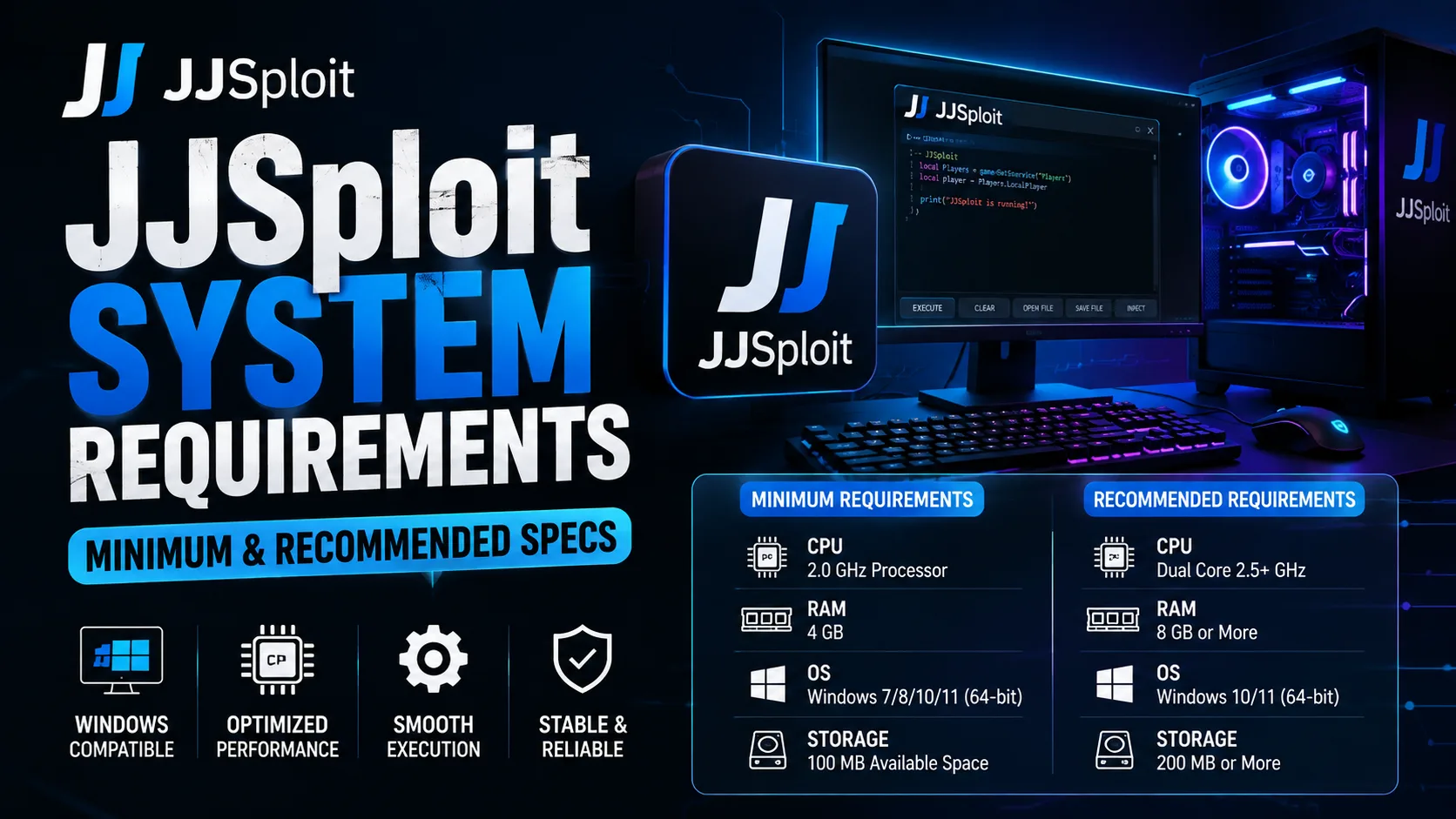
Planning to run JJSploit on your PC? Before you download, make sure your system can actually handle it. JJSploit is lightweight, but it still needs the right Windows version, enough RAM, and a stable internet connection to work without crashes. Below is the complete breakdown of what your computer needs both minimum and recommended plus a compatibility matrix so you know exactly what works and what doesn’t.
Quick Overview: Can Your PC Run JJSploit?
| Specification | Minimum | Recommended |
|---|---|---|
| OS | Windows 10 (64-bit) | Windows 11 (64-bit) |
| Processor | Any modern dual-core CPU | Intel i3 / AMD Ryzen 3 or better |
| RAM | 4 GB | 8 GB |
| Storage | 50 MB free space | 100 MB free space |
| Roblox Version | Website client | Latest website client |
| Internet | Required for updates | Stable broadband connection |
| Privileges | Administrator access | Administrator access |
Bottom line: If your PC runs Roblox smoothly, JJSploit will almost certainly run too. The executor itself is only ~14 MB, but it needs enough headroom to inject into Roblox without causing lag or crashes.
Detailed System Requirements Breakdown
Operating System (OS)
JJSploit is Windows-only. It does not support macOS, Linux, Android, or iOS.
- Supported: Windows 10 (64-bit) and Windows 11 (64-bit)
- Not Supported: Windows 7, Windows 8/8.1, macOS, Linux, Android, iOS
⚠️ Important: JJSploit only works with the website version of Roblox. The Microsoft Store / Windows Store version of Roblox is incompatible due to different security and file structures. If you installed Roblox from the Microsoft Store, uninstall it and download the desktop version from roblox.com.
Processor (CPU)
JJSploit itself is not CPU-intensive, but since it injects into Roblox, your processor needs to handle both applications simultaneously.
- Minimum: Any modern dual-core processor (Intel Pentium, AMD Athlon, or newer)
- Recommended: Intel Core i3 (6th gen+) or AMD Ryzen 3 (1st gen+)
If your CPU struggles to run Roblox at 30+ FPS, JJSploit injection may cause stuttering or crashes.
Memory (RAM)
RAM is the most common bottleneck for users running executors alongside Roblox.
- Minimum: 4 GB RAM
- Recommended: 8 GB RAM
Roblox alone can use 1–2 GB of RAM depending on the game. With JJSploit injected and multiple scripts running, memory usage increases. Users with only 4 GB RAM may experience slowdowns, especially if background apps (Chrome, Discord, Spotify) are also open.
Storage (Disk Space)
JJSploit is extremely lightweight:
- Minimum: 50 MB free space
- Recommended: 100 MB free space
This includes space for the executor, auto-updater files, and temporary DLLs. If you store multiple scripts locally, allocate a bit more.
Internet Connection
An active internet connection is mandatory — not optional.
- JJSploit’s auto-updater fetches the latest DLL and patches after every Roblox weekly update.
- If your ISP blocks WeAreDevs servers, you may see “Unsecure Connection” or update errors. In that case, a VPN (like ProtonVPN or Cloudflare Warp) can help.
Administrator Privileges
You must run JJSploit as Administrator. Without elevated privileges, the injector cannot attach to the Roblox process.
- Right-click
JJSploit.exe→ Run as Administrator - If Windows SmartScreen blocks it, click More info → Run anyway
JJSploit Compatibility Matrix
| Platform | JJSploit Support | Notes |
|---|---|---|
| Windows 10 | ✅ Supported | 64-bit required |
| Windows 11 | ✅ Supported | Best performance |
| Windows 7 / 8 / 8.1 | ❌ Not Supported | Outdated OS, security issues |
| Windows Store Roblox | ❌ Incompatible | Use website client only |
| macOS | ❌ Not Supported | No Mac version available |
| Linux | ❌ Not Supported | No Linux version available |
| Android | ❌ Discontinued | No official Android build (WeAreDevs offers Windows only) |
| iOS | ❌ Not Available | No iOS version ever released |
JJSploit vs Other Executors: System Requirements
If your PC barely meets the minimum specs, you might wonder whether JJSploit is the right choice or if a lighter alternative exists.
| Executor | OS | RAM (Min) | Key System | Best For |
|---|---|---|---|---|
| JJSploit | Windows 10/11 | 4 GB | None | Beginners, low-spec PCs |
| Delta | Win/Mac/Android/iOS | 4 GB | Daily key | Cross-platform users |
| Wave | Windows 10/11 | 4 GB | Daily key | Advanced PC scripters |
| Solara | Windows 10/11 | 4 GB | None | Keyless, fast updates |
| Xeno | Windows 10/11 | 2 GB | Daily key | Very low-spec PCs |
JJSploit and Solara are the best keyless options for low-end Windows PCs. If you need something even lighter, Xeno Executor uses fewer resources but requires a daily key.
Common System-Related Issues & Fixes
Even if your PC meets the requirements, you might run into problems. Here are the most common system-related issues and how to fix them:
| # | Error / Issue | Cause | Fix |
|---|---|---|---|
| 1 | “Failed to Inject” / Attach errors | Insufficient privileges or antivirus is blocking the injection | • Run JJSploit as Administrator • Add JJSploit.exe to your antivirus exclusion list• Learn more in our troubleshooting guide |
| 2 | Game crashes after injection | Low RAM or conflicting background applications | • Close heavy apps like Chrome, Discord, or Spotify before injecting • If you only have 4 GB RAM, consider upgrading to 8 GB • Lower Roblox graphics settings |
| 3 | Slow script execution / Lag | CPU bottleneck or too many scripts running simultaneously | • Reduce Roblox graphics quality • Use simpler, verified scripts instead of complex multi-function ones • Close unnecessary background processes |
| 4 | “Outdated Version” warning | Auto-updater is blocked by ISP or antivirus | • Ensure internet access to WeAreDevs servers is not restricted • Use a VPN (e.g., ProtonVPN, Cloudflare Warp) if your ISP blocks the connection • Check the official JJSploit page for the latest update |
| 5 | JJSploit disappears after launch | Antivirus has quarantined the executable file | • Restore JJSploit.exe from antivirus quarantine• Add the file and install folder to your antivirus exclusions • Re-download from the official source if files are corrupted |
Visual Requirements Checklist
Before downloading, tick off this checklist:
Frequently Asked Questions (FAQs)
Conclusion
JJSploit’s system requirements are surprisingly modest any modern Windows 10 or 11 PC with 4 GB RAM and a stable internet connection can run it. The real requirements aren’t about raw power; they’re about using the correct Roblox client (website version), having administrator access, and preparing your antivirus exclusions beforehand.
If your PC meets the specs above, you’re ready to download. Always use an alt account, grab JJSploit from the official WeAreDevs source, and follow our installation guide for a smooth setup. If the download itself won’t start, see our JJSploit won’t download fix guide.